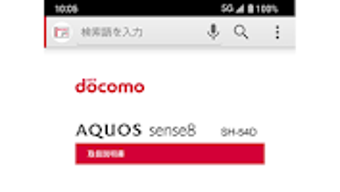

Download SH 54D 取扱説明書 – SHARP CORPORATION, AQUOS sense8, Android 10, iOS 14, e-Torisetsu
Overview
The SH 54D 取扱説明書 (Instruction Manual) is an electronic guide developed by SHARP CORPORATION specifically for the AQUOS sense8 SH-54D smartphone. Designed as an e-Torisetsu (electronic instruction manual), this application serves as a digital companion to the physical user manual, offering users immediate access to comprehensive device instructions. It enables users to navigate through setup procedures, feature explanations, and operational guidelines with enhanced convenience.
A unique functionality allows users to directly launch certain device settings and functions by tapping on relevant text entries within the manual, streamlining the process of configuring the device. This tool is intended exclusively for the SH-54D model and is not compatible with other devices, even if they share similar operating systems. The target audience includes consumers who own the SH-54D and wish to access detailed, interactive guidance for optimal device usage.
It is particularly useful for users who prefer digital documentation over printed manuals and those seeking faster access to specific functions. The application is not designed for professional developers or IT administrators but rather for general end-users looking for clarity and ease in operating their smartphone.
Key Features & Capabilities
- Interactive Instruction Manual: Provides full access to the complete text of the SH-54D user manual in digital format, enabling quick search and navigation through various sections.
- Direct Function Launch: Allows users to initiate specific device settings or functions directly from within the manual text, reducing the need to manually navigate through menus.
- Device-Specific Design: Built exclusively for the SH-54D model, ensuring compatibility with its interface and feature set, and preventing misuse on other devices.
- Offline Accessibility: Once downloaded, the manual can be accessed without an internet connection, making it useful in areas with limited connectivity.
- Regular Updates: Available through official app stores, with updates released periodically to maintain compatibility with the latest device software versions.
Users can benefit from this application when troubleshooting issues, learning new features, or configuring device preferences. For example, a user seeking to adjust camera settings can locate the relevant section in the manual and tap a link to open the camera configuration menu directly. This integration enhances workflow efficiency and reduces user error. The manual also serves as a reference during initial setup, helping users understand device capabilities and limitations. While the application does not include video tutorials or interactive simulations, its text-based structure with actionable links offers a practical solution for users who value direct access and clarity.
User Interface, Workflow & Performance
The user interface of the SH 54D 取扱説明書 is structured to mirror the layout of a traditional instruction manual, with clear section headings, numbered steps, and descriptive text. Navigation is facilitated through a table of contents, search function, and hyperlinked text elements. The design prioritizes readability and ease of access, with a clean layout suitable for both small and larger screens.
Users can scroll through content or jump between sections using the navigation menu. Workflow efficiency is enhanced by the ability to launch device functions directly from the manual, minimizing the number of steps required to reach a setting. The application operates smoothly within the supported operating systems, though exact performance details were not specified.
The developer did not provide additional system requirements or resource usage metrics. Performance observations are based on general software behavior patterns for similar digital manuals. Stability appears to be maintained through regular updates, though users should be aware that updates may reset stored settings.
No reports of crashes or freezes were mentioned in the provided documentation.
Compatibility & System Requirements
The SH 54D 取扱説明書 is compatible with the following devices: AQUOS sense8 SH-54D (docomo, au, SoftBank versions). It is explicitly designed for this model and will not function on other devices, regardless of operating system. The application supports Android 10 or later and iOS 14 or later.
Installation size and hardware requirements were not specified by the developer. The application is distributed through the Google Play Store and Apple App Store, and updates are managed via these platforms. The developer did not provide additional system requirements, including CPU, RAM, or storage specifications.
Compatibility information was partially provided, with clear device and OS limitations. Users should ensure their device is one of the supported models before downloading. The application is not intended for use on tablets, computers, or other mobile devices outside the SH-54D series.
Pros and Cons
Pros
- Provides full access to the official instruction manual in digital format.
- Enables direct launching of device settings from within the manual text.
- Available for free via official app stores.
- Supports offline use after initial download.
- Regular updates ensure ongoing compatibility with device software.
Cons
- Not compatible with devices other than the SH-54D.
- Updates may reset user settings or stored data.
- Does not include multimedia content such as videos or animations.
- Exact system requirements and performance metrics were not provided.
- Application may be discontinued at any time without notice.
FAQ Section
Is the SH 54D 取扱説明書 compatible with other SHARP devices?
No, the application is designed exclusively for the SH-54D model and will not function on other SHARP devices, even if they run similar operating systems.
Can I use this application on a tablet or computer?
No, the application is intended for use only on the SH-54D smartphone. It is not compatible with tablets, computers, or other non-supported devices.
Is the application free to download and use?
Yes, the application is provided free of charge through the Google Play Store and Apple App Store.
Does the application collect personal data?
No, the application does not collect or transmit any personal data. All information remains stored locally on the device.
What happens when I update the application?
When the application is updated, any settings or data stored within the app may be reset. It is recommended to back up important configurations before updating.
Final Thoughts + CTA
The SH 54D 取扱説明書 stands out as a practical and user-focused digital companion for owners of the AQUOS sense8 SH-54D. Its integration of interactive text with direct function access significantly improves usability, reducing the time and effort needed to configure or troubleshoot the device. While it lacks multimedia elements and has strict device compatibility, its core purpose is fulfilled with precision.
The application is ideal for consumers who value clear, accessible instructions and seamless navigation. It is especially beneficial for users who prefer digital manuals over physical copies. Despite the absence of detailed system specifications and the risk of data reset during updates, the overall experience remains reliable and secure.
The developer’s commitment to privacy and free access further strengthens its appeal. For anyone using the SH-54D, this tool is a valuable resource that enhances the user experience. Download SH 54D 取扱説明書 now.







